Daily Statement
Per-sheet walkthrough — L1 Reconciliation Dashboard.
What the sheet shows
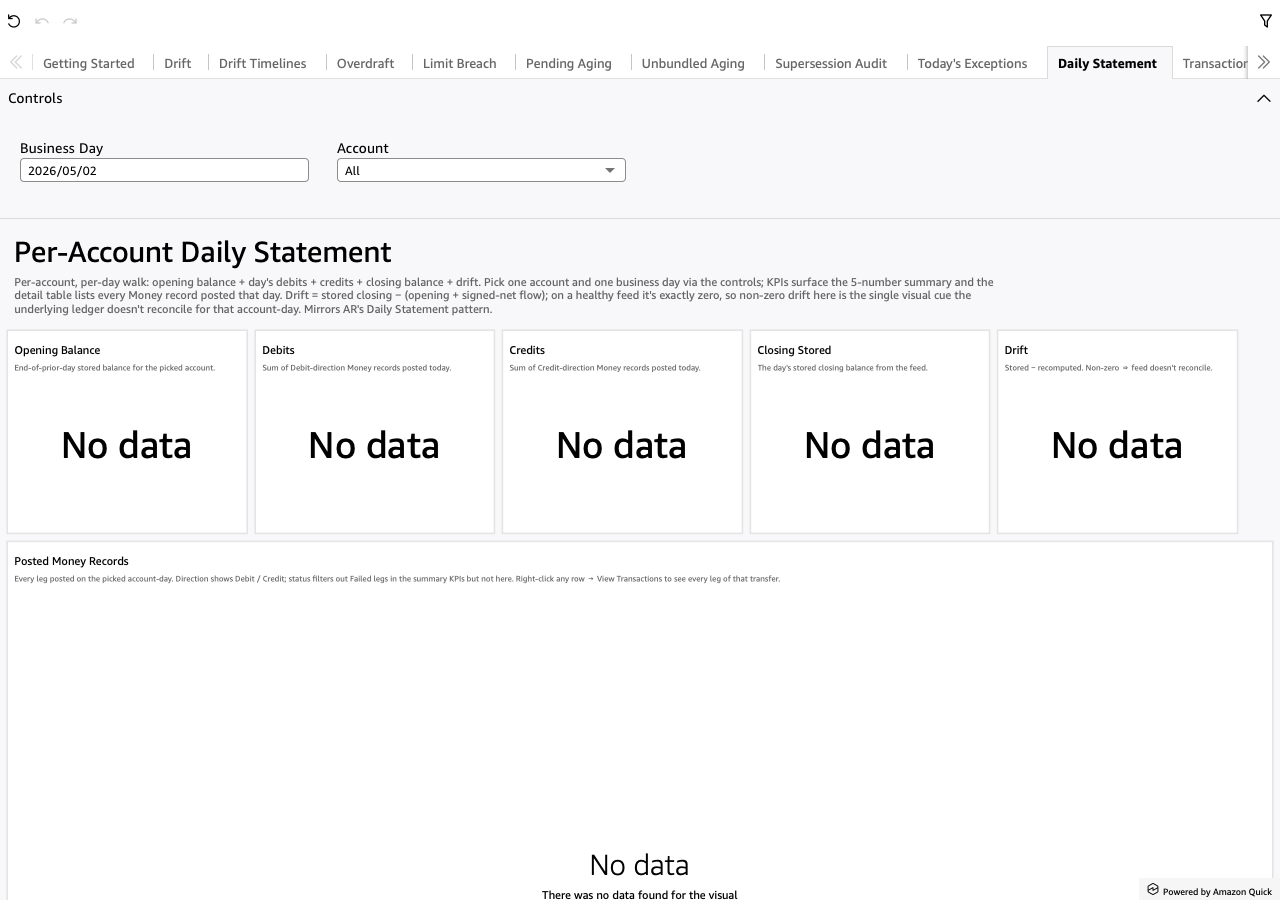
One (account, day) walk: opening balance, the day's debits, the day's credits, closing balance and drift, plus every leg posted that day. Pick one account and one business day from the sheet controls; five KPIs carry the day's walk and the detail table lists every Money record posted. A control-accounts reference table sits below for the GL-control view.
Drift here = closing_balance_stored − (opening_balance + Σ
amount_money of today's posted legs). On a healthy feed it's exactly
zero. Non-zero drift is the one cue that the ledger doesn't reconcile
for that account-day — a green ✓ next to the number means $0
(reconciled), red ✗ means it doesn't.
Screenshot
When to use it
Every analyst-facing investigation lands here. From L1 Exceptions right-click → "View Daily Statement for this account-day"; from any per-invariant detail table (Drift, Overdraft, Limit Breach and the rest) the same drill. This is the per-account-day artifact the Data Integration Team screenshots and sends to the producer system's team for triage.
Visuals
- Opening Balance (KPI) — end-of-prior-day stored balance for the picked account.
- Debits (signed) (KPI) — sum of
amount_moneyover Debit-direction legs posted today, signed by the v6 convention (Debit = negative). - Credits (signed) (KPI) — same over Credit-direction legs (Credit = positive). The signs already carry direction, so Closing = Opening + Credits + Debits — do NOT subtract.
- Closing Stored (KPI) — the day's stored closing balance from the feed.
- Posting Drift (KPI) — closing stored − (opening + signed-net flow) for THIS account-day. Non-zero ⇒ today's postings don't reconcile with today's stored balance change. Green ✓ at $0, red ✗ otherwise.
- Posted Money Records (Table) — every leg posted on the picked account-day. Direction shows Debit / Credit; status filters out Failed legs in the summary KPIs but not here.
- Control accounts (1:1 singletons) (Table) — the parent / singleton
internal accounts (
account_parent_role IS NULLANDaccount_scope = 'internal') the Account picker doesn't surface directly. Read an account name here, type it back into the picker to drill in. Last Balance + Last Transaction columns surface staleness: whether the feed is flowing AND whether anything is posting against the control.
Drills
- Right-click any leg → "View Transactions for this transfer" →
opens Transactions narrowed to the clicked
transfer_idso the analyst can see every leg of the multi-leg transfer (typically the matching counterparty leg posted to a different account). The drill widens the destination's date range so the transfer's other legs aren't filtered out.
Filters
- Role (ParameterDropdown) — top of the Role → Account → Day cascade; narrows the Account list to the picked role.
- Account (ParameterDropdown) — single-value picker over the
internal accounts (shown as
Name (id)). Required — the KPIs don't render without one selected. Drill-targets auto-fill it. - Business Day (ParameterDateTimePicker) — single-value picker over
business_day. Same semantics. Drill-targets auto-fill it. Each visible day is decorated with has-transactions / has-balance / has-both markers for the picked account (DECORATION not restriction — every day stays clickable).
No universal date-range filter on this sheet — the Account + Business Day pickers are stricter (single-value vs range), so the range pickers would be redundant.